Networking

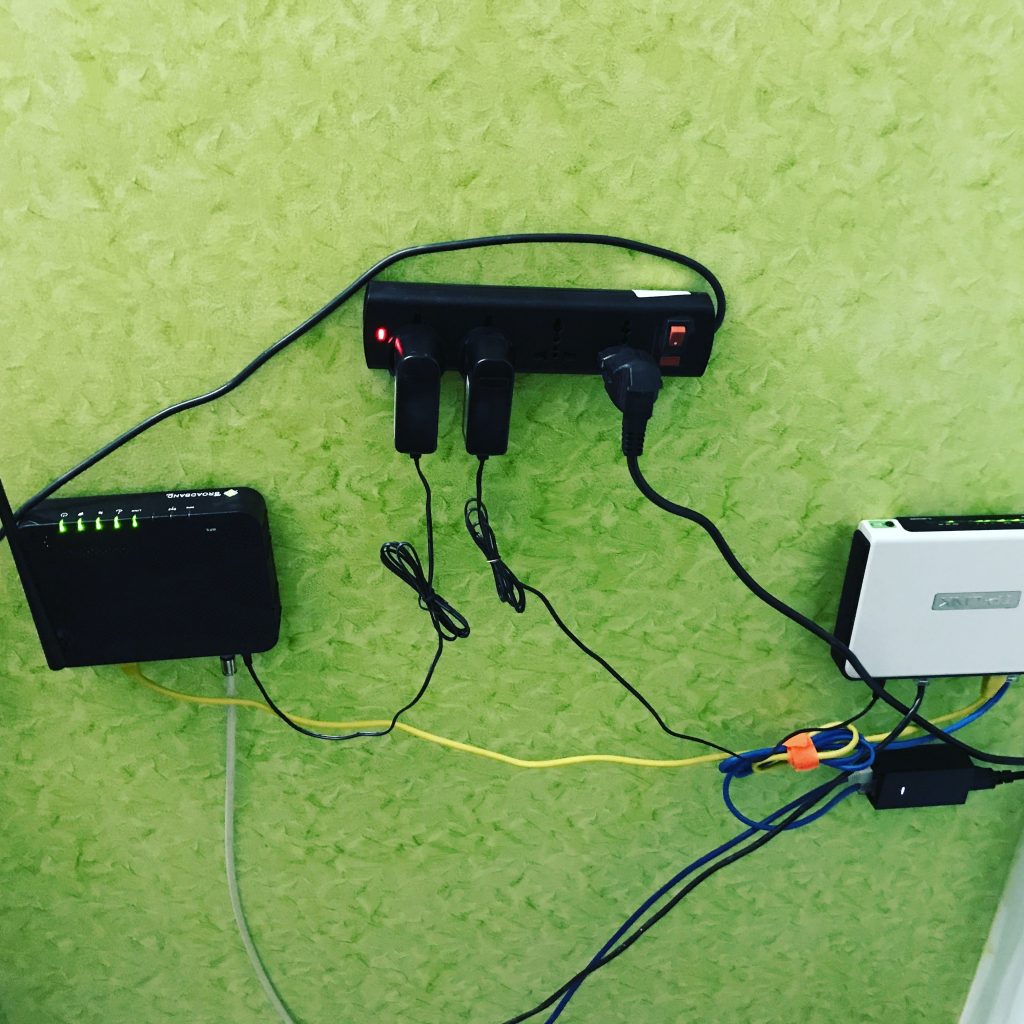
Designing high capacity home network

For the last few months, we have been working on setting up a dedicated room for my home office usage. This gives me the opportunity to plan for changes in the home network.


Key design ideas

  1. Cabling should support needs for now as well as the future but active hardware stays strictly for what I need for now. Hardware can be upgraded easily. It is not impossible to change cabling in the future since we have ducts - 0.75" ducts everywhere and 1.5" where it goes towards my office for aggregation but it’s still a few hour’s tasks to plan, change cables, etc. Plus, if changing cables, they have to change together. Any partial change will be very hard as 0.75" ducts get filled with cables. Cables are in star topology but ducts are daisy-chained (older POTS design)
     
  2. While it may not be true especially in the Western world where manpower is very expensive but hardware is relatively cheap, here in India good managed switches, good routers with gigabit ports, policy-based routing, etc can be quite expensive compared to the cost of cabling. I would prefer to centrally aggregate circuits instead of putting switches here & there. Thus if I needed 1 port, I targeted to provision 2 ports and associated cabling from that point till the aggregation.
     
  3. Single place aggregation also has another advantage - it makes it easy to have one single “fat” wall plate with lots of ports and just 1, 2, or 3 port faceplates in the rest of the wall plates. Most of the old telephone boxes are 3 x 3 and can give a max of 2 cat6 ports. One might be able to fit 4 ports if a faceplate is found with those but would be very hard to manage it because there’s barely space to put the extra cable in a 3 x 3 box.
     
  4. All cables should be terminated on a faceplate. In past, I ran a network between different rooms without faceplates for the last 8 years and it gets messy as time goes. The area gets dirty, becomes a fragile point to disconnect, cleanup, etc. Thus this time I decided that all cables must terminate with a faceplate instead of hanging out of the wall.
     
  5. For cabling, cat6 made the most sense to me. Cat6 cost 7000 INR for 300m box. I used around half of the cable and thus it was 3500 INR for 150m / $48 USD for 492 feet. I have the option to return the remaining unused cable.
    I couldn’t find cat6a locally but pricing hints were way higher than cat6. I can run gigabit right away on cat6 and can easily do 2 x 1Gbps LCAP LAG if needed between key locations (the room where uplinks come and the office where aggregation will happen). Furthermore, I can run 2.5Gbps & 5Gbps on each leg at some point when I upgrade the switch. I might be able to run 10G on copper though the longest leg might be a margin of 50m including patch cords. I doubt I will need more than 1Gbps to individual wall jacks where bandwidth is being “consumed” for at least the next 6-7 years. But might very well need more than 1Gbps between uplink room (location of core router, GEPON optical units) and office (aggregation switch). Thus I also got a two-strand single-mode fiber pulled in. That costs around 5.5Rs/meter. It’s a drop cable & I can add connectors to that directly without the need of splicing (though would still need cleaver for a 90 degrees sharp cut). I might light that up after few years especially when both home uplinks are 1Gbps or above. For now, they are 100Mbps (primary) and 50Mbps (secondary). Because fiber is there in the wall, I can in theory run 100Gbps in the far-off future if need to.
     
  6. Price of electronics changes very quickly. It makes sense to over-provision on the cable part but I would always avoid over-provision on the router/switch part. The cost of a 10G switch today is probably 10-20x more than what it will be after 6-7 years when I might actually need that kind of capacity.
     
  7. The highest traffic segment in the home is between the home server (Intel NUC) with a connected 4TB HDD. It does various monitoring, home NAS, site-to-site VPN & more. There are times when traffic touches 1Gbps between Intel NUC, core switch, and core router. Its port is 1Gbps and thus no upgrade path on that except to just replace it in the future. Newer NUC has a 2.5Gbps port. As cloud computing becomes super cheap, I doubt I will be putting super high compute at home in the near future. As of now, Intel NUC hosts only what has to be hosted locally.
     
  8. For faceplates my friend helped me to get a Hi-Fi modular plate - 2 x 8 port each and thus 16 port aggregation. These are basically electric plates with cat6 modules fitted in. So far working well. Though I have terminated cat6 countless times, it was a hard job on that one due to excess cabling. Challenge is: If I leave excess cable, 8 “excess cables” per plate make it hard to close the faceplate while if I leave minimal cable then it would be hard to tweak/fix/make changes in the future. I ended up not cutting the cat6 cable tearing string & tied it along the cable with electric tape. That way I can open up tape anytime & just pull that up to further peel off the outer jacket. For faceplates in the rest of the home, I found Anchor face plates locally. Again these were also electric plates with the option to add a cat6 jack in place of a single “button”. For patch cables, I prefer to use cat5e instead of cat6 because cat5e is less rigid. I prefer to use the same in datacenter environment as well. 1Gbps runs just fine on that & cabling management is a lot easier. Again all of these or a few can be upgraded to cat6 at some point when I have to run high speeds (2.5G/5G/10G). I think I made the mistake of not having an extra “box” to hold the extra cables. Since it was a fresh design, that could have been done easily during the built. So in total this was 13 cat6 cables, 2 ends, 8 strands each = 13 x 2 x 8 = 208 punch downs. In reality, it was probably 250 as I had to re-do few things twice due to less space in the wall box.
 

How Does the Internet Work? - Vox

A nice short 20mins video by VOX on how the internet works. It covers the basic idea of connectivity a higher level and I am probably going to pass this link to friends & family members outside of the networking domain when they ask. It also covers 60 Hudson Street which I visited exactly an year ago. :)

NIXI root DNS servers and updates

Has been a while since I checked the status of root servers which are hosted at NIXI. The list as per their official member list stays the same i.e i root in Mumbai, K root in Noida and F root in Chennai. 


i root seems to be up!

show ip bgp neighbors 218.100.48.75 received-routes
       There are 5 received routes from neighbor 218.100.48.75
Searching for matching routes, use ^C to quit...
Status A:AGGREGATE B:BEST b:NOT-INSTALLED-BEST C:CONFED_EBGP D:DAMPED
       E:EBGP H:HISTORY I:IBGP L:LOCAL M:MULTIPATH m:NOT-INSTALLED-MULTIPATH
       S:SUPPRESSED F:FILTERED s:STALE
       Prefix             Next Hop        MED        LocPrf     Weight Status
1      192.36.148.0/24    218.100.48.75   0          100        0      BE
         AS_PATH: 8674 29216
2      194.58.198.0/24    218.100.48.75   0          100        0      BE
         AS_PATH: 8674 56908
3      194.58.199.0/24    218.100.48.75   0          100        0      BE
         AS_PATH: 8674 56908
4      194.146.106.0/24   218.100.48.75   0          100        0      BE
         AS_PATH: 8674
5      194.146.107.0/24   218.100.48.75   0          100        0      BE
         AS_PATH: 8674


CDN Caching Panel discussion at APNIC 46

I am in Noumea in New Caledonia in the Pacific Islands. Next week we have APNIC 46 conference and I would be moderating an exciting panel discussion with friends from Akamai, Cloudflare, Facebook and more about working of CDNs. 

If attending APNIC 46, please come & join this session.

If you are interested in connecting to Hurricane Electric (AS6939) in this region, please do drop me a message.

(List of our PoPs in the region here)

Calculating IPv6 subnets outside the nibble boundary

Often this comes into the subnetting discussion by my friends who are deploying IPv6 for the first time. How do you calculate subnets outside the 4-bit nibble boundary? This also happens to be one of starting points of APNIC IPv6 routing workshop where I occasionally instruct as community trainer.


So what is a Nibble boundary?

In IPv6 context, it refers to 4 bit and any change in multiple of 4 bits is easy to calculate. Here’s how: Let’s say we have a allocation: 2001:db8::/32. Now taking slices from this pool within 4 bit boundry is quite easy. /36 slices (1 x 4 bits) 2001:db8:0000::/36 2001:db8:1000::/36 2001:db8:2000::/36 and so on… /40 slices (2 x 4 bits) 2001:db8:0000::/40 2001:db8:0100::/40 2001:db8:0200::/40 /44 slices (3 x 4 bits) 2001:db8:0000::/44 2001:db8:0010::/44 2001:db8:0020::/44 /48 slices (4 x 4 bits) 2001:db8:0000::/48 2001:db8:0001::/48 2001:db8:0002::/48 Clearly, it seems much simple and that is one of the reasons we often strongly recommend subnetting within the nibble boundary and not outside for all practical use cases. However understanding why it’s easy this way, as well as things like how to subnet outside nibble boundary for cases, say if you are running a very large network and have a /29 allocation from RIR.

RIPE Atlas India coverage and some thoughts

It has been some time since I started pushing Indian community for hosting RIPE Atlas Probes. These probes are small devices designed to be hosted at end user’s connection and do pre-defined as well as user-defined measurement. Measurement includes ping, trace, DNS lookup, SSL check etc. Currently, there are 61 active RIPE Atlas probes. I would say it has +/- of 7-8 probes which go offline and come back online when I request hosts to check.

BGP Administrative Shutdown Communication

I recently came across an excellent draft at IETF by Job Snijders & friends. This is to address scenarios where a network might miss communication about a maintenance activity when BGP shutdown happens. Once implemented, this can potentially offer to send peer a message with up to 128 bytes with info about shutdown like “Ticket XXX: We are upgrading the router, will be back live in 1hr” etc.

It depends by appending such data to the sys notification which is part of BGP protocol. This is one which sends a message just before the shutdown of the session. So it similar to the way you see session tearing down due to prefix limits etc. This has already been implemented in some of the open source routing implementations like OpenBGPd, GoBGP, PMacct, Exabgp etc.   Here is the latest draft of this change.

Building redundancy on home network

I posted about the home network in multiple other posts in past. I recent time I switched from Microtik SXT Lite 5 to Power Beam PBE-M5-400. This gave me a jump from 16dbi to 25dbi which gives much sharper beam. I also got a harness & climbed BTS myself (after getting permission from the manager) this time to switch gear. I think I can do a better job than wasting time in finding guys from local WISPs to do it. :)   Also, Essel Group launched Siti broadband in my home area and they are using DOCSIS. The network is overall fine though initially faced many outages due to fibre cuts here & there. As of now, the connection is reasonably stable. I am paying 860Rs/month ~ $14 for 10Mbps uncapped link which gives me 10Mbps down and 1.5Mbps up. From a price point, it’s an excellent connection to have for redundancy reasons. Now as the connection is stable enough to explore auto-failover. For last few months I took both primary links as well as backup links to the router in the form of tagged VLANs and used to push specific traffic based on source IP (device at home) or destination IP/port combination using policy based routing.  

IPv6 Only Web Hosting

Saw this excellent presentation in UKNOF 34 by Peter Stevens from Mythic Beasts. Really enjoyed the challenges and fixes he shared in running an IPv6 only web hosting. A must watch for geeks :)  

Also, UKNOF & NLNOG both seem to have excellent content in their conferences along with professional video recording which they make available over YouTube channels.