Scaling the Netflix Global CDN - by Dave Temkin
An impressive and detailed presentation by Mr. Dave Temkin on how Netflix deploys caching nodes and challenges around them. It’s from Feb last year.
An impressive and detailed presentation by Mr. Dave Temkin on how Netflix deploys caching nodes and challenges around them. It’s from Feb last year.
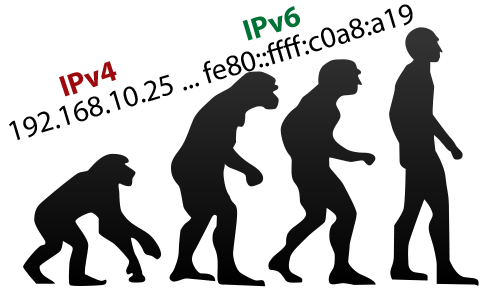 One of my friend went for a VM with a German hosting provider. He got single IPv4 (quite common) and a /64 IPv6. Overall /64 per VM/end server used to be ok till few years back but now these days running applications inside LXC containers (OS level virtualization) make more sense. This gives option to maintain separate hosting environment for each application. I personally do that a lot and infect blog which you are reading right now itself is on a LXC container.
RIPE NCC is running an excellent project called RIPE Atlas from few years. This is one of largest distributed network measurement projects where thousands of users host small devices called RIPE Atlas Probes on their networks, home connections, datacenters etc. These probes do measurement under both public and private category and make that data available publicly for use by network engineers and helps in optimizing routing. This page shows detailed coverage statistics of the probes.
VyOS is quite interesting OS. It’s a open source Linux based network operating system based on Vyatta. It’s config style seems bit like JunOS in terms of hierarchy and set/edit/delete options while editing configuration.
**Can one use it in a small ISP or a Corporate LAN setup?
Someone asked me recently if we can have complete open source based router in smaller network doing basic stuff. Not with not-so-streamlined Linux shell but networking OS where network engineers favorite tool “?” works in CLI with options. Let’s take a possible case with bunch of routers, a server with speedtest-mini running on it and end desktop with Ubuntu-desktop on it along with VyOS based router. Goal here is to have basic features to work (to start with!). I am conducting this test and setup on the VM infrastructure at home but that should have zero impact/configuration of network devices and hence not going to focus on that part. All devices including server, desktop and router are pretty much running on virtual machines or KVM containers. To configure and test:
Came across this impressive cover of last mile broadband issues in Orcas Island in Washington state in Arstechnica.com.
It’s very true on how so many areas are just not served and likely will never be served because when you have large telecom players bidding for billion dollar worth of Spectrum, all they care next for is very high value returns. And if they do not see those kind of returns, areas stay unserved. India has even poor story where it’s challenging to get wired broadband in most areas of country including key metro cities.
I have been using OpenVPN from quite sometime and very much like it. Earlier I was running OpenVPN client on TP Link 1043nd router and that worked great. But recently I switched home routing to Microtik Map2N which has much better VLAN & IPv6 support. Since then I had trouble in getting VPN back live. I can always use VPN client on laptop but that’s ugly for daily use specially when this is my primary work location!
A blog post dedicated to BSNL AS9829. It just tried so hard to become as irrelevant as it can from everyone’s life (and that doesn’t excludes me now). So what really is BSNL btw?
All above tells nothing but ways in which BSNL is 100% screwed up for now. I don’t expect it to ever pick up again. Politically, technically, and fundamentally it’s a mess. I became BSNL broadband user in 2008 and it has been over 7 years of (painful and terrible) experience with them. As a company which put so much of infrastructure to connect India worked extremely hard to do as many stupid things as possible. For me trouble remained that in my city they were only wired telecom provider for retail services. Last month I got a long haul circuit from Airtel (provisioned on fiber) between my city and a friend’s ISP PoP for 10Mbps bandwidth. Circuit is delivered at a Airtel BTS site location (slightly away from my home) and I have installed Microtik SXT Lite 5’s shooting link from there to my home (around 1km link with clear LoS). This is a usual long range fixed wireless RF link over un-licensed 5.8Ghz band. (Thankyou govt. of India for delicensing it in 2007 and making available for public use). Thanks to companies like Microtik and Ubiquiti for opening up world of good fixed wireless radios and antennas which really work great and are available for quite good prices. I got pair of SXT Lite5’s from Amazon.in at 7700 INR (~$116). Fortunately BTS site has a private WISP tower and the owner of tower agreed to let me use his tower for my radio for reasonable price.
One of things which people often asked me around in past was on how to have multiple IPs on Linux machine under various circumstances. I know there are ton of blog posts about this but very few explain how it works and possible options under different use cases etc. I will share router side and server side config with focus on how it should be done from server end. Assuming server side config to be for Ubuntu/Debian. You can find similar concept for CentOS. Say you have a router on IP 10.10.10.1 and server on IP 10.10.10.2 on a /24 (255.255.255.0) subnet. Assming that entire 10.10.10.0/24 is available for server’s connectivity. Setup would be like: 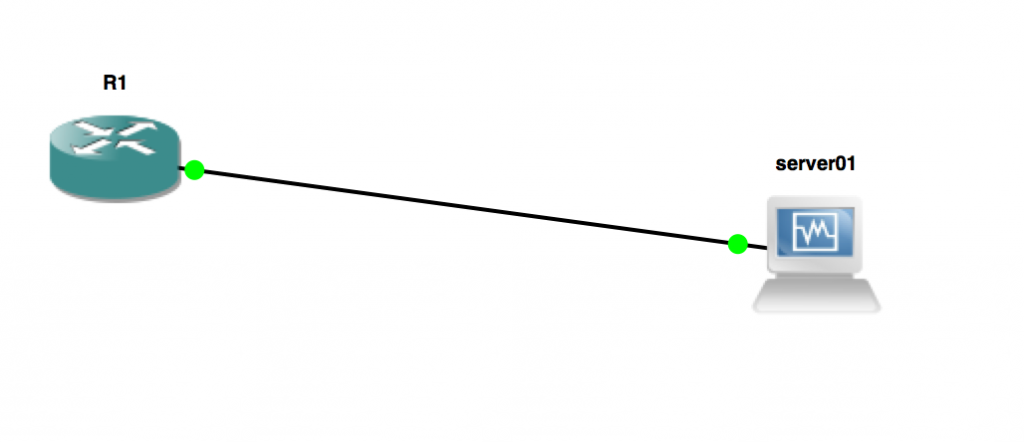 Configuration so far is super simple. You have got 10.10.10.1 placed on R1’s interface (g1/0) which connects to server01 and server01 has 10.10.10.2.
One of very cool features of IPv6 is link-local address which stays local to a given link. For this fe80::/10 is reserved. A /10 is a huge amount of address space in IPv6 (and in IPv4 too :) ). This means from fe80:0000:0000:0000:0000:0000:0000:0000 to febf:ffff:ffff:ffff:ffff:ffff:ffff:ffff.
Since by design link-local address stays local, the address configured on the upstream/gateway router can be kept same for ease of use and comfort. This wasn’t the case of IPv4 where each VLAN/layer 2 domain had it’s own gateway. So e.g if you have two VLANs or interfaces say: Gi1/0 and Gi2/0. You decide to use 10.100.100.0/30 on Gi1/0 and 10.100.100.4/30 on Gi2/0.
Out in Mumbai to attend SANOG 26.
Meet and greet if you are attending as well or around in Mumbai. :)